Here is how to build an online community from scratch: start with a specific group of people and a problem or goal they share. Validate that people want to solve it together, choose the simplest platform that supports the needed interactions, invite a small founding group, and create a clear path from joining to a first useful contribution. Then build a repeatable rhythm, moderate consistently, and improve the experience from member feedback.
Build something people want to be part of.
The Sienly perspective
In short
- Start with a member outcome, not a feature list or software purchase.
- Prove a recurring reason to gather before investing in a large platform.
- Make the first week welcoming, specific, and easy to participate in.
- Track whether members connect and return, not only how many join.
This guide is for creators, educators, coaches, and small organizations planning a new online community. The aim is to help you make the early decisions in the right order, whether you eventually choose a WordPress community, a hosted membership platform, a discussion forum, or a small private group. If you are still comparing tools, our roundup of the best online community platforms for creators sets out the trade-offs.
1. Define who the community is for and what members can do together
A useful community purpose is narrower than a topic. “A community for entrepreneurs” describes a large audience; it does not tell a member what happens after they join. Try this sentence instead:
This is a place for [specific people] who want to [shared progress] by [recurring way of helping one another].
For example: “A place for first-time course creators to review lesson plans, solve launch problems, and share what they learn from their first students.” The example names a group, an outcome, and an activity. Members can tell whether it fits them, and you can use it to decide what belongs in the community.
Think about the value exchange on both sides. Members might bring questions, experience, feedback, or encouragement. In return, they should receive something that is difficult to get from a one-way newsletter or a pile of resources: relevant peer advice, accountability, a place to practice, access to people with similar goals, or ongoing support.
Complete the purpose sentence, then list three things members will be able to do with each other in the first month. If you can only list content you will publish, the community may need a clearer member-to-member reason to exist.
2. Validate the need before you build the space
Talk to people who resemble the members you hope to serve. Ask about the last time they faced the problem, where they went for help, what was missing, and what kind of support they would return for. Ask about actual behavior rather than whether they “like” your idea. A polite yes is not the same as a recurring need.
Look for existing evidence: repeated questions in your course or customer support, people introducing one another, peer answers that continue after you leave, or an informal group that already meets. These signals do not guarantee a community will work, but they give you something concrete to test.
Research on 951 founders of Reddit communities found that topical interest was a common reason for starting a community, alongside information exchange and connection; founders’ goals and early approaches were associated with different early community trajectories. The study focuses on Reddit communities and the first 28 days, so it should not be treated as a universal formula for every creator business. Its useful reminder is that founders shape the early environment: decide what you want members to gain, then make the first activities support that goal.
Invite five to ten likely members to a short conversation or a one-time pilot session. Ask each person to bring a real question or work-in-progress. Afterward, ask what was useful, what felt awkward, and whether they would make time for another session. Treat the number as a manageable starting exercise, not a statistical benchmark.
3. Choose the community model before comparing platforms
“Online community” can mean several different experiences. Choose the one that fits the shared outcome and your capacity:
- Discussion community: members ask questions, exchange experience, and build relationships over time.
- Learning community: people work through lessons or projects together, with practice, feedback, and accountability.
- Customer or product community: members get help, share use cases, and inform a product or service.
- Membership community: members pay for an ongoing combination of access, programming, resources, or support.
- Event-led community: recurring online or in-person gatherings are the main way members connect.
You can combine these later. At the beginning, pick one primary member behavior to support. If you try to launch a forum, course library, event calendar, mentorship network, and paid tiers at once, you create work before you know which parts members value.
Decide whether the space should be public, private, or mixed. Public discussions can help visitors understand the community before joining. Private spaces can support trust and sensitive conversations. A mixed model may offer public resources or discussions with private member areas. Explain the boundaries clearly, especially what visitors, members, moderators, and admins can see.
4. Select a platform by requirements, ownership, and upkeep
Write down the interactions you need before you shop. Separate must-haves from nice-to-haves, and include the work of running the platform in your comparison.
| Platform approach | May fit when | Questions to answer |
|---|---|---|
| Hosted community service | You want managed infrastructure and a quick setup. | Can you export member and content data? What happens to your community if you leave? Which features and costs apply to your plan? |
| WordPress community site | You already use WordPress or want control over your site, data, design, and integrations. | Who handles hosting, security, updates, backups, accessibility, and support? Which plugins are required? |
| Forum software | Searchable, threaded discussions are the central activity. | How will you handle onboarding, profiles, moderation, mobile use, and any paid access? |
| Existing social or chat group | You are testing whether people will participate before building a dedicated home. | Are members comfortable using it? Can you set the needed boundaries? What can you preserve or export later? |
Compare the whole member journey: discovery, registration, welcome, first post or activity, notifications, search, reporting, moderation, and leaving. Also check recurring costs, privacy controls, accessibility, integrations, portability, and the person responsible for technical maintenance.
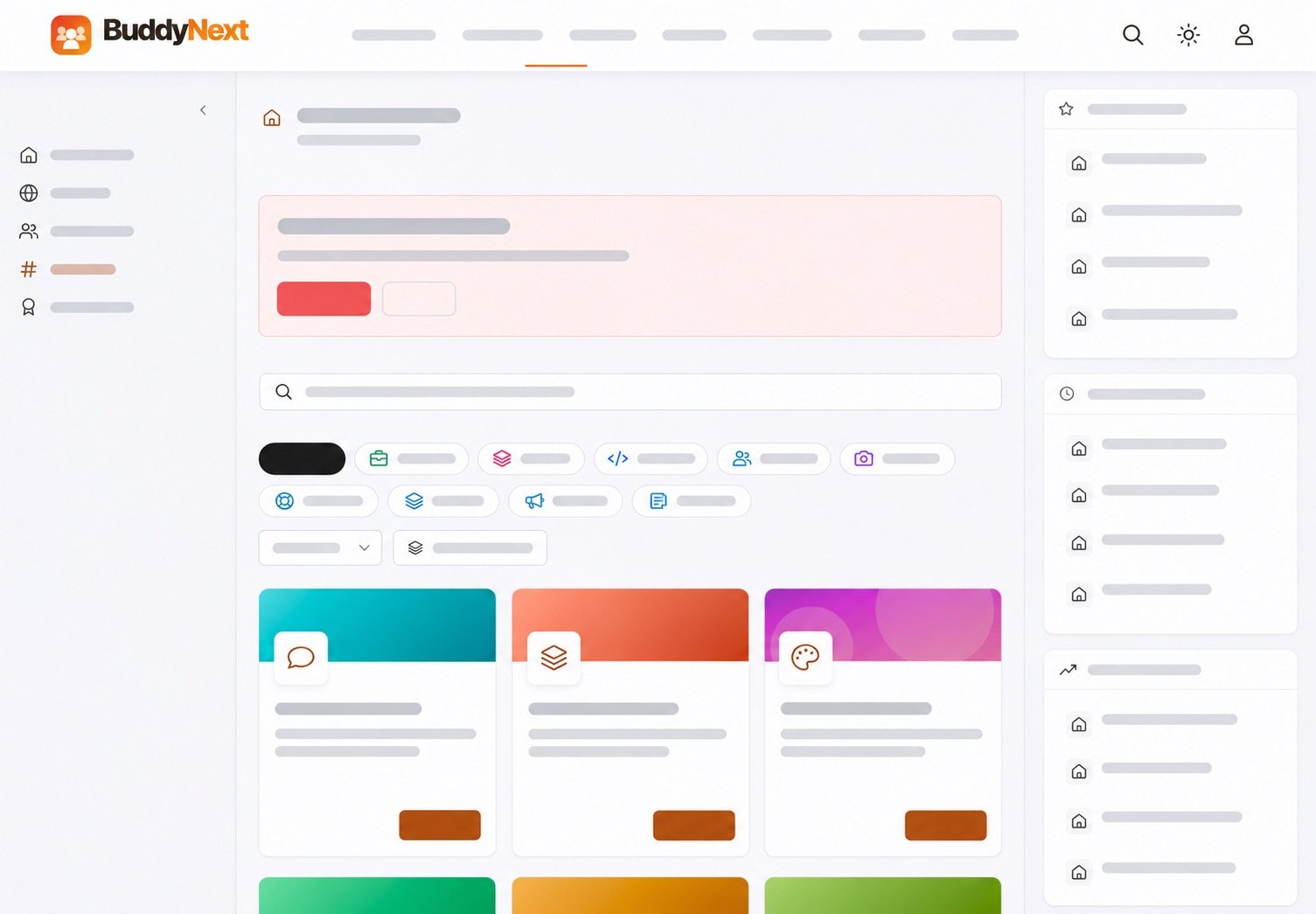
For a WordPress-based community, BuddyNext is one option to evaluate. Its current documentation describes an activity feed, member profiles, registration and onboarding, notifications, and topic-focused Spaces with public, private, and secret visibility options. This may suit a creator who wants community features on a WordPress site and is prepared to maintain that site. A hosted service may better suit someone who wants the vendor to manage infrastructure; a focused forum may suit a discussion-first group. Shashank Dubey has a professional relationship with Wbcom Designs, which develops BuddyNext. This is a disclosed ecosystem example, not an independent product review or a claim of comparative testing. Verify current requirements and feature availability on the BuddyNext product page and official documentation.
Practical setup: from domain to first member
- Choose a domain and hosting plan. Use a memorable domain you control and make sure the renewal, account access, and DNS ownership are documented. For WordPress, compare hosts on current WordPress requirements, support, HTTPS, backup and restore processes, staging, performance, and who applies server updates. The WordPress hosting guide explains the main hosting options; WordPress also publishes security guidance.
- Install and configure the platform. Set the site name, logo, basic navigation, email delivery, privacy policy, terms, and support contact. Add only the features needed for the first member journey. Set up a staging copy and a tested backup before major changes.
- Make registration understandable. Explain who can join, whether approval or invitations are required, what information is collected, and how members can close their account. Ask for only the profile details you will actually use. Test registration, verification emails, password reset, and the welcome message.
- Create a small number of useful spaces. Start with an orientation area, a main discussion or help area, and any clearly needed project or interest space. Give each a short description, an owner, and a first prompt. Avoid creating empty categories just to make the site look busy.
- Set privacy deliberately. Decide what a visitor can see, who can join each area, whether posts can appear in search engines, and which profile fields are visible. Explain the rules in plain language. Test with logged-out, new-member, regular-member, moderator, and administrator accounts.
- Choose notification defaults with care. Send only messages that help members act. Make email frequency and opt-out choices clear, and avoid making every reply generate an unwanted alert. Test welcome, event, mention, and digest emails on desktop and mobile.
- Walk through the experience as a member. On a phone and a computer, follow an invitation, register, complete onboarding, find the right space, post or RSVP, adjust notifications, find help, and leave. Fix confusing labels, broken links, inaccessible controls, and steps that require unexplained knowledge before you invite the founding group.
Ask two or three people who represent your intended members to complete one realistic task without coaching. Watch where they hesitate, ask what they expected, and record changes to make before opening the doors. This is a usability exercise, not a representative research sample.
A practical printable version of these steps is available in the Community Launch Checklist PDF; the original plain-text checklist remains available.
5. Prepare the first useful experience before inviting members
An empty space gives a new member no clue where to start. Before opening registration, prepare enough structure to make the first visit feel intentional:
- A clear welcome: say who the space is for, what members can do here, and where to get help.
- A simple orientation: explain the few areas or channels that matter now. Avoid launching a maze of empty categories.
- A first action: use a specific, low-pressure prompt such as “What are you working on this month, and what kind of feedback would help?”
- A useful seed conversation: post a question, resource, or example that demonstrates the kind of exchange you want. Label founder-created examples honestly.
- A personal response: reply to early introductions and connect people when you can see a relevant reason.
Make participation optional and varied. Some people will post immediately; others will read first, attend an event, or respond privately. Do not make public posting the only sign that someone is getting value.
Write community guidelines in plain language. Cover respectful disagreement, privacy and consent, spam or self-promotion, harassment, moderation actions, and how members can report a concern. Explain who can see posts and whether content can be quoted or shared outside the group. Rules only build trust when someone applies them consistently.
6. Invite a founding group and help members meet one another
Start with people who share the problem and are willing to help shape the experience. A smaller group with a real reason to participate is easier to learn from than a large list of people who have only clicked “join.” Ask founding members what they hope to get, what they can contribute, and what would make the space feel worth returning to. For outreach ideas beyond your own network, see how to grow your first 100 community members.
Be transparent about the early stage. Tell members which parts are still being tested and invite specific feedback. Avoid manufacturing activity with fake accounts or pretending a quiet group is already thriving. Instead, host an orientation, facilitate a useful first discussion, or pair members around a shared goal, with their consent.
Build connections between members, not only between the founder and each member. Introduce two people when they have a relevant shared interest, recognize helpful contributions, and make room for members to host a topic or event. The founder’s job gradually shifts from answering everything to creating the conditions for peers to help one another.
“I’m bringing together [specific people] to work on [shared outcome]. The first month will include [one recurring activity]. I’m looking for a small group to try it, tell me what feels useful, and help decide what should change. Would you like to join the pilot?”
7. Create a repeatable participation rhythm
Members need a reason to return, but that does not require posting constantly. Choose one dependable format that you can sustain and that supports the community’s purpose. Examples include a weekly question with thoughtful replies, a monthly project critique, a regular office hour, a member showcase, or a short accountability check-in.
Give each activity a recognizable shape: when it happens, how members take part, what they should prepare, and what happens afterward. Specific prompts reduce the effort of joining in. “What are you building?” is broad; “Share one paragraph from your course welcome email and say what you want it to help a new student do” gives members a clear next step.
Use a light editorial calendar with an owner for every activity. Leave open space for member-led conversation, and retire formats that take effort but do not help members. A sustainable cadence that actually happens is more trustworthy than an ambitious schedule that disappears after launch.
Use events to create shared moments
Events give members a scheduled reason to meet and a shared experience to discuss afterward. A live workshop works well when people should make something, practice a skill, or get feedback together. A webinar can bring a larger group around a focused explanation, especially when you leave time for questions and discussion. Small meetups are useful for introductions and peer conversation; onboarding sessions help new members understand the purpose, spaces, norms, and first steps. Recurring events create a familiar rhythm, while occasional member-led sessions let people contribute expertise and shape the program.
Choose the format for the intended outcome, then make participation easy: state the time zone, access needs, preparation, recording plan, and whether members may participate by chat or asynchronously. Give attendees a next step afterward, such as a discussion thread, shared notes, or an optional follow-up activity. Do not assume attendance alone means the event was valuable; ask participants what they took away and what they would change. For a step-by-step planning workflow, see How to Organize Events for Your Online Community.
- Weekly: one focused prompt, roundup, or accountability check-in.
- Monthly: a workshop, member-led session, or progress review.
- Quarterly: a feedback conversation about what to keep, change, or stop.
8. Set up moderation and community care from day one
Moderation is part of the member experience, not a task to postpone until the group is large. Decide who reviews reports, what requires an immediate response, what can wait, and how members can appeal or ask for help. Keep a private record of significant decisions so that rules are applied consistently.
For a small launch, name a primary moderator and a backup. Agree on response windows you can meet. Protect personal information, remove spam, address harmful behavior, and avoid promising confidentiality that the platform or your own processes cannot guarantee. If members may discuss sensitive topics, set clear boundaries and tell them what the community can and cannot provide.
Review your settings with a test account. Check who can find the community, read posts, join, message members, and see profile information. Test the reporting path. If you use public content to help people discover the community, make the distinction between public areas and members-only areas obvious.
9. Use the first 30 days to learn, not to chase a vanity number
This launch plan is a practical sequence, not a promise that a community will be “successful” in one month. Adapt the pace to your audience and capacity.
| Period | Focus | Work to complete |
|---|---|---|
| Days 1-7 | Purpose and evidence | Write the member promise; speak with prospective members; review existing questions and informal activity; choose one member outcome and one pilot format. |
| Days 8-14 | Design and setup | Choose a platform; configure access and privacy; write guidelines and a welcome; create only the spaces needed for the pilot; test the member journey. |
| Days 15-21 | Founding pilot | Invite a small group personally; host an orientation or first useful activity; respond to introductions; ask members what they expected and what they found. |
| Days 22-30 | Improve and decide | Review participation and feedback; fix confusing steps; keep or change the recurring activity; decide whether to invite a wider group, run another pilot, or narrow the purpose. |
At the end of the month, write down what you learned and what decision follows from it. If people did not return, investigate whether the promise, onboarding, schedule, platform, or activity was a poor fit before concluding that you need more promotion.
10. Measure connection and progress, not just membership count
Choose a small set of signals that match the purpose. For an early community, you can track:
- Activation: whether a new member completes a useful first action, such as joining a relevant space, attending an orientation, or receiving a helpful reply.
- Time to first value: how long it takes a new member to experience the promised benefit.
- Contributor distribution: whether useful activity comes from several members or depends entirely on the founder.
- Return participation: whether members come back for a later conversation or activity.
- Member-reported value: what people say they accomplished, learned, or found easier because the community existed.
- Safety and support: whether reports are handled and members know how to ask for help.
Define each measure before you collect it. For example, “active member” might mean someone who reads, responds, attends, or contributes, depending on your goal. Do not compare your early numbers with an unrelated community’s benchmark. Look for changes in your own member experience and combine analytics with direct conversations.
Common mistakes when starting a community
- Choosing software before the purpose: a platform cannot create a shared reason to participate.
- Inviting everyone at once: grow after you know the welcome and first activity work for the people you intend to serve.
- Opening too many empty areas: start with the few spaces or channels that match real member tasks.
- Making the founder the only source of value: design activities that help members respond to, learn from, and recognize one another.
- Confusing activity with value: frequent posts are not useful if they do not support the outcome members joined for.
- Ignoring privacy and moderation: clear expectations and a reliable reporting path are part of trust.
- Promising a cadence you cannot maintain: pick a rhythm that fits your time and name who owns each recurring activity.
- Calling a quiet launch a failure too early: ask members what they expected and make one focused change before adding more features or promotion.
Frequently asked questions
How do I start an online community with no audience?
Start with conversations, not a public launch. Find people already dealing with the problem through your professional network, existing customers, relevant events, or places where you can participate respectfully. Invite a small group to a useful pilot and ask them to bring one real question. A large social following is not a prerequisite, but you do need access to people who share the need.
How many members do I need to launch?
There is no universal minimum. Invite enough people to create a real exchange while keeping the group small enough for you to welcome and learn from each person. The right number depends on the format: a peer-review session needs a different group size than an asynchronous discussion space.
Should my online community be free or paid?
Decide based on the value, costs, and expectations. A free pilot can help you test a format; a paid community needs a clear ongoing benefit and transparent terms. Our guide on how to build a paid community covers pricing and access in detail. Do not use payment as a substitute for validating demand, and do not promise access or outcomes you cannot deliver.
Which platform is best for a new online community?
The best fit is the simplest option that supports the member experience you need and that you can maintain. Compare hosted platforms, WordPress, forum software, and existing social tools on ownership, privacy, moderation, member journey, portability, cost, and upkeep. Test with real prospective members before committing.
How do I keep an online community active?
Make the next useful action clear, respond to early contributions, create one repeatable activity, and help members connect with one another. If participation slows, ask recent members what they expected and inspect the onboarding and activity format before adding more content. These community engagement strategies give you more options to test.
How long does it take to build a successful community?
There is no reliable deadline that applies to every community. A 30-day pilot can help you test the purpose, welcome, and first recurring activity; trust, useful member relationships, and a sustainable operating model take ongoing work.
Sources and editorial notes
This guide combines practical planning recommendations with a small set of primary sources. The research cited below concerns Reddit community founders and early activity; it is not a universal causal model. BuddyNext links are vendor documentation consulted for the specific WordPress example, not an independent evaluation. The interface image is an illustrative mockup based on a local demonstration; it does not depict actual members or activity. Shashank Dubey’s professional relationship with Wbcom Designs is disclosed on the Sienly disclosure page. No platform testing, survey of Sienly readers, or guaranteed ranking outcome is claimed.
- Kairam, S. R. and Foote, J. (2024). How founder motivations, goals, and actions influence early trajectories of online communities. Survey of 951 recent Reddit community founders.
- BuddyNext. Official product documentation, consulted for registration, onboarding, privacy, spaces, and notifications.
- WordPress.org. Hosting WordPress and Hardening WordPress.
For more Sienly resources, use the online communities guide hub and download the printable Community Launch Checklist or the plain-text version.