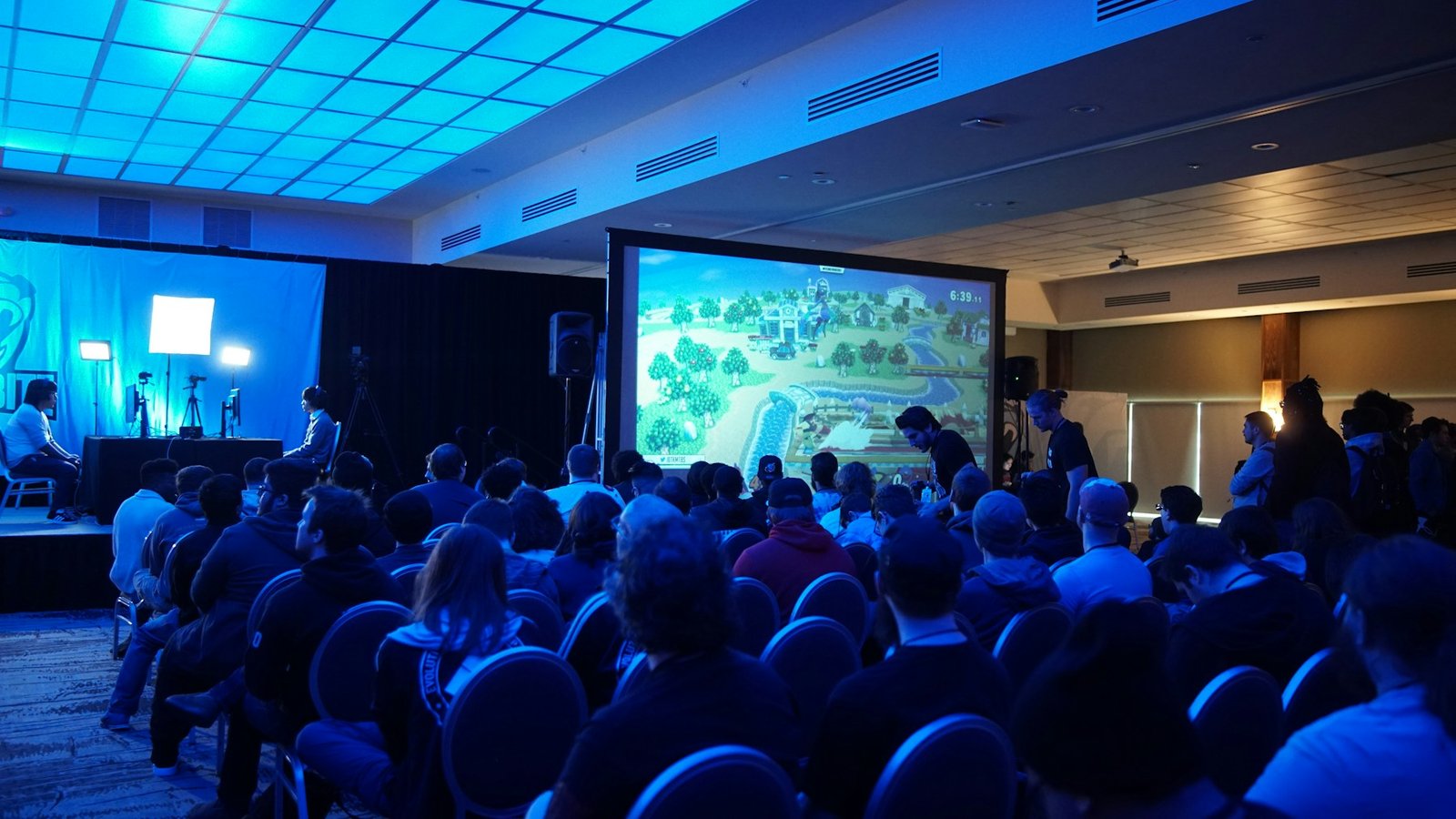
The best online event platforms for a community are the ones that keep registration, reminders and the event itself close to where your members already are. For most creators that means Luma for simple RSVPs and paid tickets, Zoom Webinars or Livestorm for larger broadcasts, Circle or Mighty Networks when events live inside a paid community, Airmeet or RingCentral Events for conference-style networking, and a self-hosted option such as Eventonomy when you want events on a site you own. Every price and fee below was checked on vendor pages on 27 November 2026.
In short
- Separate the two jobs: registration and promotion (Luma, Eventbrite, your own site) and the live room (Zoom, Livestorm, Airmeet). Some platforms do both.
- Ticket fees vary from 0% to 10% of each sale depending on platform and plan, before card processing.
- Community platforms such as Circle and Mighty Networks cap live-stream audiences by plan, from 100 viewers on entry plans.
- Across 33,786 webinar sessions, Livestorm measured an average of 47.7% of registrants attending live, so plan reminders and replays from the start.
- If owning the member list matters, check export options or keep registration on your own site.
This guide is for creators, coaches, educators and community managers choosing where to run recurring online events: member meetups, workshops, office hours, AMAs and the occasional bigger summit. It compares nine platforms on the same criteria and ends with three example setups. If you are choosing an event plugin for an existing WordPress site, see our comparison of the best WordPress event management plugins instead.
How we compared online event platforms
The pages ranking for this topic mostly rank corporate conference software and list Zoom, Google Meet and Webex side by side. That is useful for a marketing team, less so for a community of 300 members who meet every Thursday. We compared each option on what matters for community events:
- Community fit. Does the event sit inside the space where members already talk, or does it send them somewhere new?
- Registration and tickets. Free RSVPs, paid tickets, coupons and approval-only registration.
- Fees. Platform fee on ticket sales, separate from card processing.
- The live room. Built-in video and streaming, or an integration with Zoom.
- Interaction. Chat, Q&A, polls, breakouts and networking tables.
- Ownership. Whether you can export attendees and keep the relationship if you leave.
Facts come from vendor pricing and product pages opened on 27 November 2026. Several vendors were running Black Friday promotions, and prices change often. This is a documentation-based comparison. No hands-on testing is claimed.
Online event platforms compared
| Platform | Best for | Starting price (27 Nov 2026) | Fee on ticket sales | Live video |
|---|---|---|---|---|
| Luma | RSVPs, paid meetups, event calendars | Free; Luma Plus $59/mo billed annually | 5% free plan, 0% Plus | Zoom integration |
| Zoom Webinars and Events | Large broadcasts and multi-session events | Webinars $89/mo, or $66.67/mo billed annually | Not stated | Built in |
| Eventbrite | Discovery and ticketing | Free for free events | 3.7% + $1.79 per ticket, plus 2.9% processing | Bring your own |
| Livestorm | Browser-based webinars with replays | Pro at €2.50 per attendee credit | Not stated | Built in, up to 3,000 live |
| Airmeet | Networking lounges and summits | Premium Webinars $167/mo billed yearly | 4% on Premium Webinars | Built in |
| RingCentral Events | Conferences with stages and expo | Events Pro $99/organiser/mo billed annually | Not stated | Built in |
| Circle | Events inside a paid community | Professional $89/mo, annual billing | 2% Professional, 1% Business | Live streams to 100 on Professional |
| Mighty Networks | Events inside a community with courses | Starter $79/mo billed annually | 2% revenue share on Starter | Livestreams to 100 viewers on Starter |
| Eventonomy (self-hosted) | Community events on your own WordPress site | See vendor | No per-ticket platform fees listed | Use your own meeting link |
Card processing (typically charged by Stripe or PayPal) applies on top of any platform fee. Luma notes that Stripe's card fee is typically 2.9% plus 30 cents.
Luma: the simplest RSVP and ticket page
Who it suits: a creator or meetup organiser who wants a clean event page, a public calendar members can subscribe to, and reminders that actually get read.
Strengths: the free plan covers unlimited events and guests, email, SMS, push and WhatsApp reminders, ticket types, group purchases, coupons, approval or token-gated registration, guest check-in, CSV import and export, unlimited co-hosts and a Zoom integration with attendance tracking. You can send up to 500 invites or newsletters per week.
Limits: Luma is not a community space. Discussion before and after the event happens elsewhere. The free plan takes 5% of paid ticket sales.
Price: free, or Luma Plus at $59 per month billed annually, which removes the platform fee, raises the weekly send limit to 5,000 and adds tax collection, a check-in manager role and API access. Source: Luma pricing, 27 November 2026.
Zoom Webinars and Zoom Events: the familiar room
Who it suits: an educator or association running large talks where most attendees watch and ask questions, or a multi-session online summit.
Strengths: many attendees already know how to join a Zoom call. Zoom describes Webinars as suited to single-session public events with large audiences, where attendees can view, listen and use Q&A without appearing on camera. Zoom Events adds multi-session programmes, a lobby for meeting other participants, an expo floor and event-wide analytics. The pricing page lists basic ticketing on Webinars with PayPal, and advanced ticketing with Stripe on Sessions and Events.
Limits: pricing scales with attendee capacity, and the hub sits outside your community. A plain Zoom Meeting is often enough for a 30-person member call.
Price: as of 27 November 2026, Webinars was $89 per month monthly or $66.67 per month billed annually, Webinars Plus $99 or $82.50, and Events $149 or $124.17, with capacity-based tiers. Source: Zoom events and webinars pricing.
Eventbrite: ticketing and discovery
Who it suits: an organiser who wants new people to find a public workshop through a marketplace, not only existing members.
Strengths: free events cost nothing to publish. Eventbrite's audience can surface your event to people who have never heard of you, and Eventbrite Pro adds email marketing from $15 per month.
Limits: you still need a video tool for online events, and buyers become Eventbrite customers as well as yours. For paid tickets in the US, the organiser pricing page lists a 3.7% plus $1.79 ticketing fee per ticket and 2.9% payment processing per order. Buyers pay by default, or you can absorb the fees.
Price: free for free events; fees as above. Source: Eventbrite organizer pricing, 27 November 2026.
Livestorm: webinars in the browser
Who it suits: a course creator or coach running regular webinars who wants registration pages, replays and engagement tools without asking attendees to install anything.
Strengths: the pricing page lists unlimited events and recordings, unlimited team members, up to 3,000 live attendees per event and sessions of up to four hours on Pro. Registration pages and instant replays are listed features. Its own 2026 benchmark, based on 33,786 sessions, found chat used in 90% of webinars and Q&A in 65%.
Limits: paid ticketing is not described on the pricing page, so you would sell access elsewhere. Credits are bought as a yearly pack.
Price: Pro at €2.50 per attendee, bought as a yearly pack of credits; Enterprise on quote. Source: Livestorm pricing, 27 November 2026.
Airmeet: networking tables and lounges
Who it suits: a community running a yearly summit or a networking event where members should meet each other, not just watch a stage.
Strengths: the pricing page lists social lounge tables, fluid networking spaces, ticketing and sponsorship features. Premium Webinars allows from 100 up to 10,000 attendees per webinar and up to 150 events a year.
Limits: it is priced for organisations rather than hobby communities. Premium Webinars lists a 4% ticketing commission, and the Events tier is quoted on request.
Price: Premium Webinars at $167 per month billed yearly or $199 monthly; Managed Events from $4,999 per conference. Source: Airmeet pricing, 27 November 2026.
RingCentral Events: the former Hopin
Who it suits: an organisation running conferences with stages, sessions, sponsor booths and hybrid elements.
Strengths: RingCentral acquired Hopin in 2023 and now sells it as RingCentral Events. Every plan includes unlimited events, registrations and attendees per organiser, with a virtual venue of stage sessions, networking and an expo, plus registration and ticketing, reporting and a production studio.
Limits: it is a large event production tool, more than a weekly members' call needs. Ticketing fees are not stated on the pricing page.
Price: Events Pro at $99 per organiser per month billed annually ($119 monthly), Pro+ at $199 and Enterprise at $299. Source: RingCentral Events pricing, 27 November 2026.
Circle: events where your members already are
Who it suits: a paid community or cohort programme where events are one part of membership alongside discussions and courses.
Strengths: events, live streams and live rooms sit inside the same community, so RSVPs, reminders and post-event discussion happen in one place. Our Circle platform record has more background.
Limits: live audiences are capped by plan. The pricing page lists 100 live-stream attendees and 15 live-room participants on Professional, 200 and 20 on Business, and 500 and 50 on Scale. Extra live attendees cost $20 per month per 100 on the first two plans.
Price: Professional at $89 per month (2% transaction fee), Business $199 (1%), Scale $419 (1%), all based on annual billing. Source: Circle pricing, 27 November 2026.
Mighty Networks: events with courses and community
Who it suits: a creator who wants one hosted home for a community, courses, events and livestreams, with mobile apps.
Strengths: every plan lists events and livestreaming as community features. Our Mighty Networks platform record covers the wider product.
Limits: livestream limits rise with the plan: 20 hours per month and 100 viewers per stream on Starter, 30 hours and 200 viewers on Momentum, 40 hours and 1,000 viewers on Path to Pro.
Price: Starter at $79 per month billed annually with a 2% revenue share, Momentum $209 (1%), Path to Pro $419 (1%). Source: Mighty Networks pricing, 27 November 2026.
Eventonomy: self-hosted community events
Who it suits: a creator, club or membership business that already runs a WordPress site and wants events, RSVPs and member-hosted sessions on a site it owns, with no per-member platform fees and the attendee list in its own database.
Strengths: Eventonomy is a complete platform for community events. Its product page lists RSVPs with guest counts, capacity caps with automatic waitlists, custom RSVP questions, guest RSVPs managed through a magic link, branded confirmation emails, CSV exports, recurring series with per-occurrence capacity, ICS feeds and add-to-calendar buttons, and link-only events for private sessions. Members can submit events from the front end into a moderation queue. Paid tickets run through Stripe, PayPal or WooCommerce with coupons and early-bird windows, and the product page states there are no per-ticket platform fees. Scheduled reminders and Twilio SMS are listed too.
Limits: it is not a video platform. For online sessions you add a Zoom, Google Meet or other meeting link, or an external registration link. You also take on hosting, updates and backups, which a hosted service handles for you.
Shashank Dubey has worked on Eventonomy at Wbcom Designs (see our disclosure). Details are on the Eventonomy product page and our Eventonomy record.
Three example setups for community events
Most communities do not need one platform for everything. They need a dependable pairing of a registration home and a live room.
| Community | Events | A sensible setup |
|---|---|---|
| A free newsletter community of 2,000 readers | Monthly AMA, occasional meetups in two cities | Luma calendar for RSVPs and reminders, Zoom Meeting for the AMA, Luma check-in for meetups. |
| A paid membership for 400 freelance designers | Weekly critique, monthly guest workshop | Events inside the community platform (Circle or Mighty Networks) if live audiences stay under the plan cap; Zoom for guest sessions that exceed it. |
| A coaching business on WordPress with courses and a member area | Office hours, paid workshops, member-led study groups | Events, RSVPs and tickets on the owned site (for example Eventonomy), meeting links shared with registered attendees, replays posted to the member area. |
The question to ask is where you want the relationship to live. A marketplace like Eventbrite helps strangers find you. A community platform keeps members in one place. A self-hosted site keeps the data with you. Our guide on how to organise events for your online community covers the calendar and roles side of this decision.
Plan for no-shows and replays on any platform
Whichever platform you pick, expect that many registrants will not attend live. Livestorm's 2026 benchmark of 33,786 sessions from 3,199 organisations found that 47.7% of registrants attended live, down from 48.9% the year before, and that average watch time was 26 minutes of a 68-minute session. Goldcast's report on 19,531 B2B webinars in 2024 found a 33% average attendance rate, and that nearly 80% of webinars were made available on demand afterwards.
Those figures come from vendor data on mostly business webinars, so treat them as a rough guide for community events rather than a benchmark. The practical lesson still holds: choose a platform that sends reminders on the channels your members use, records sessions, and lets you share replays easily. Livestorm's data shows public replays drew 3.7 times as many views as gated ones, which is worth weighing against keeping replays as a member benefit.
Try this
Before you choose, run one real event on your top candidate using its free plan or trial. Track how many registrants attend, how many watch the replay and how many members post in the follow-up thread. Compare that with your current setup. Our community event planning checklist gives you the run-of-show to test against.
For techniques that keep people engaged once they are in the room, read how to host events that keep your community engaged. If you plan to charge, our guide on hosting paid workshops and webinars covers offers, refunds and replays. All our event guides are collected in the events hub.
Frequently asked questions
What is the best platform for hosting a virtual event?
It depends on the event. For a community meetup or workshop, Luma plus Zoom is simple and cheap. For a large webinar, Zoom Webinars or Livestorm. For a summit with networking, Airmeet or RingCentral Events. If events are part of a paid community, use the events feature of your community platform while audiences stay within its plan limits.
What is the best free online event platform?
Luma's free plan covers unlimited events and guests, reminders and Zoom integration, with a 5% fee only on paid tickets. Eventbrite is free for free events. For the video room, a free video meeting tool works for small groups, subject to its time limits.
Which online event platforms charge the lowest ticket fees?
As of 27 November 2026, Luma Plus charges 0%, Circle charges 1% on Business and Scale and 0.5% on Circle Plus, Mighty Networks charges 1% on Momentum and Path to Pro and 0.5% on Mighty Pro, and Airmeet Premium Webinars lists 4%. Eventbrite lists 3.7% plus $1.79 per ticket in the US. Self-hosted tools on your own site often charge no platform fee, although some free WordPress plugins add 2-3% until you buy a licence, and card processing applies everywhere.
Can I host online events on my own website?
Yes. A WordPress events plugin handles the event page, RSVPs and tickets, and you share a video meeting link with registered attendees. This keeps the attendee list in your own database. You take on hosting and maintenance in return.
Is Hopin still available?
Hopin's events product is now RingCentral Events. RingCentral says it acquired Hopin in 2023 and sells the product as part of its video suite.
How many people attend a webinar after registering?
Vendor benchmarks vary. Livestorm's 2026 report found 47.7% of registrants attended live, and Goldcast's B2B report found 33%. Community events with a strong member relationship may do better or worse, so measure your own.
Sources and editorial notes
Prices, fees and limits were taken from the vendor pages below on 27 November 2026. Some pages showed annual-billing prices only, and several vendors were running seasonal promotions. Where a page did not state a fee or limit, we said so rather than estimating. Attendance statistics come from vendor benchmark reports based on each vendor's own customers, mostly business webinars, and may not represent community events. No platform was tested hands-on. Eventonomy is a Wbcom Designs product, disclosed on our disclosure page.
- Luma. Pricing. Plans, platform fees and features.
- Zoom. Events and webinars pricing and event platform overview. Prices, ticketing and product descriptions.
- Eventbrite. Organizer pricing. US ticketing and processing fees.
- Livestorm. Pricing and Webinar Benchmark Report 2026. Plan limits, attendance, engagement and replay data.
- Goldcast. 2025 B2B Webinar Benchmark Report. Attendance and on-demand figures for 2024.
- Airmeet. Pricing. Plans, attendee limits and ticketing commission.
- RingCentral. RingCentral Events pricing. Plans, features and the Hopin acquisition.
- Circle. Pricing. Plans, transaction fees and live limits.
- Mighty Networks. Pricing. Plans, revenue share and livestream limits.
- Wbcom Designs. Eventonomy. Feature list.